[ Template ]
Classic LaTeX resume template
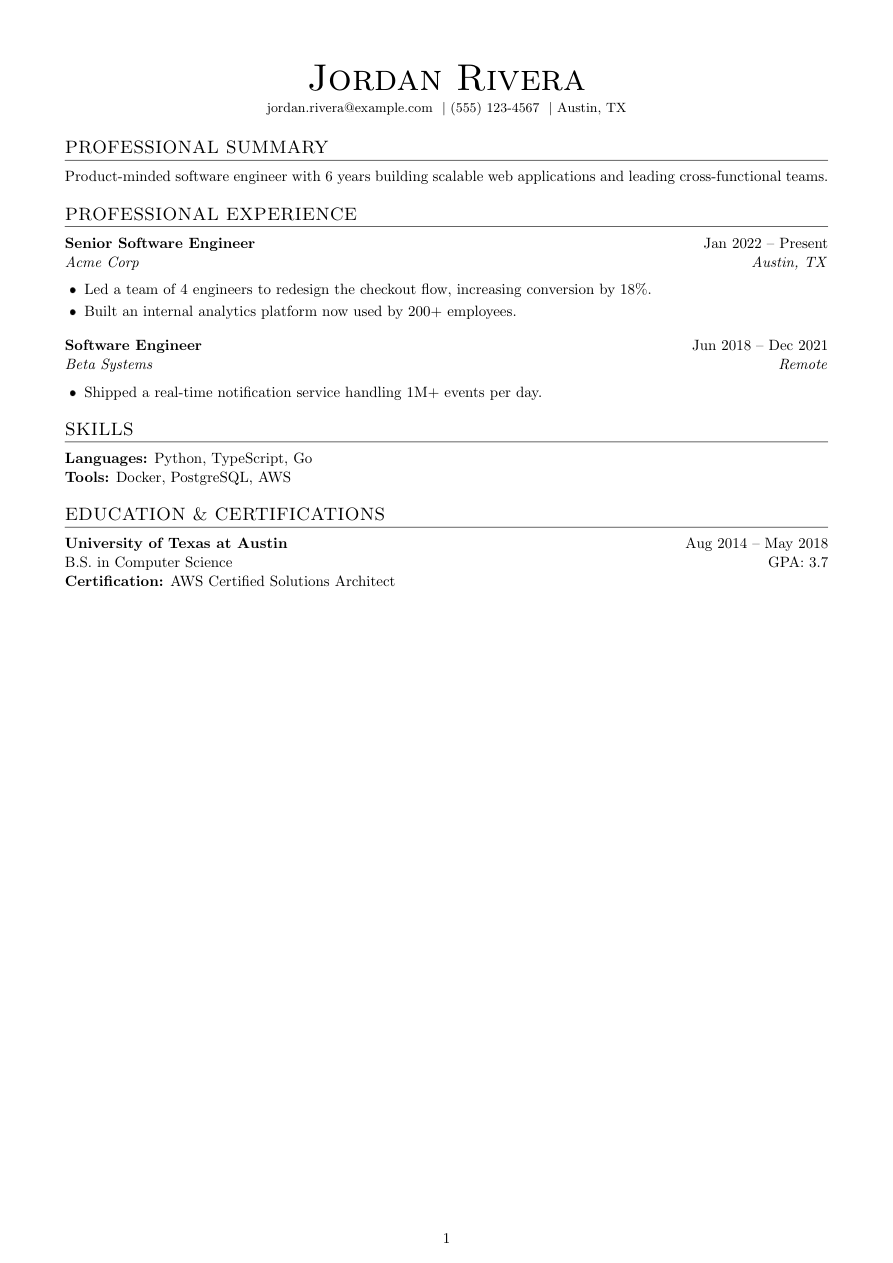
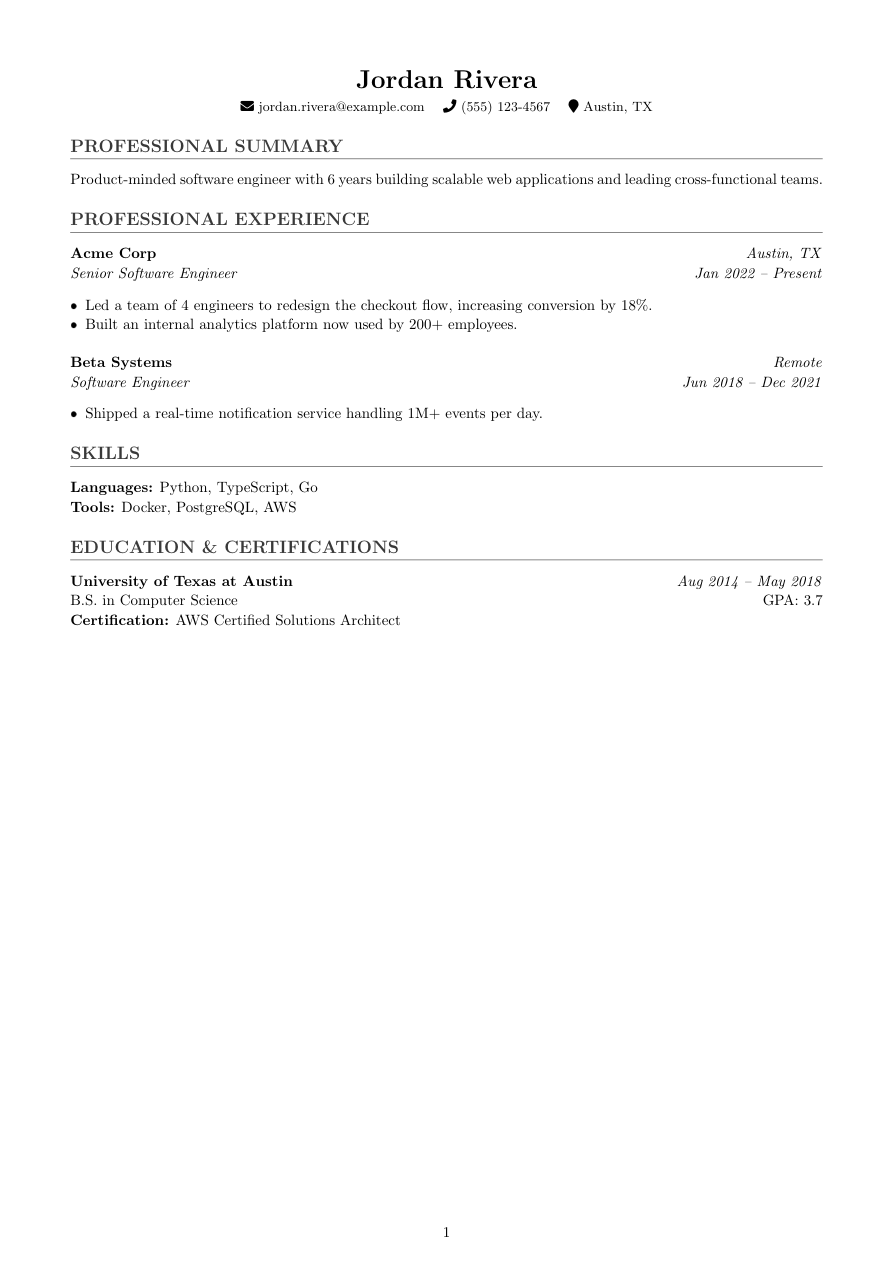
Classic is Refyn's original look: a serif article with gray-toned section rules and enough whitespace that a dense resume still reads calmly. Headings sit inside 0.65in margins with a hairline rule underneath — the kind of formatting a hiring manager skims in ten seconds without ever noticing it's there.
It's a safe default for almost any application — software, finance, operations, anywhere the reader wants information over decoration. If you don't have a strong opinion about how your resume should look, start here.
If you upload an existing resume to start, Refyn renders it in all ten looks at creation time, so you can compare Classic against the others before you commit — no retyping either way. Start from scratch instead and Classic is plain, editable .tex from the first keystroke.
Who it's for
- You want a resume that reads as "normal" at a glance — no color, no unusual layout choices.
- You're applying broadly across industries and don't want a template that reads as techy or academic.
- You'd rather spend your editing time on the words than the formatting.
Works with ATS software
Classic is single-column LaTeX with a real, selectable text layer — no tables, no columns, nothing an ATS parser has to guess at. The gray section rules are drawn with titlesec, not images, so they don't interfere with text extraction. Like every Refyn template, it's built to be machine-readable; no template can promise a specific ATS will score it well, since that depends on how that system parses and matches your content.
View the full LaTeX source
% ---------- Tagged PDF (optional) ----------
% Uncomment the next line for a tagged PDF: real reading order and list
% semantics for screen readers. Works with pdflatex on TeX Live 2023+.
% The LaTeX tagging project still labels this experimental, so it is off
% by default.
% \DocumentMetadata{lang=en-US, testphase={phase-III}}

\documentclass[a4paper,10pt]{article}

% lmodern + T1: keeps text extraction intact when tagging (\DocumentMetadata) is enabled
\usepackage{lmodern}
\usepackage[T1]{fontenc}

% -------------------- Packages --------------------
\usepackage[a4paper,margin=0.65in]{geometry}
\usepackage{titlesec}
\usepackage{enumitem}
\usepackage[hidelinks]{hyperref}
\usepackage{fontawesome5}
\usepackage{xcolor}
\usepackage{multicol}
\usepackage{tabularx}
\usepackage{etoolbox}

% -------------------- Formatting --------------------
\setlength{\parindent}{0pt}
\setlength{\parskip}{6pt}
\linespread{1.1}
\setlist[itemize]{itemsep=-4pt,topsep=2pt,leftmargin=*}
\sloppy
\raggedbottom

% Section formatting
\titleformat{\section}
  {\large\bfseries\color{gray!45!black}}
  {}{0em}{}[\titlerule]

\titlespacing*{\section}{0pt}{6pt}{4pt}

% -------------------- Semantic macros --------------------
% render.py (app/services/conversion/render.py) only ever emits calls to the 11
% macros below, with data already massaged (dates joined, "Present" resolved,
% link labels derived, etc.) but with ALL visual decisions — bold/italic, hfill
% alignment, icons, separators, list styling, gap sizes — owned here. See the
% macro contract in that module's docstring before changing signatures.
% Every template MUST define all 11, including \closebullets and \entrygap.

\newtoggle{citemnotfirst}
\newtoggle{bulletsopen}
\newtoggle{skilllinenotfirst}

% \closebullets closes the itemize list \rbullet opens. render.py calls it
% right after emitting the \rbullet run for an entry (mirroring where the old
% renderer wrote \end{itemize}). \AtEndDocument is a defensive backstop only,
% in case a future call site forgets.
\newcommand{\closebullets}{%
  \iftoggle{bulletsopen}{\end{itemize}\togglefalse{bulletsopen}}{}%
}
\AtEndDocument{\closebullets}

\newcommand{\resumeheader}[3]{%
  \begin{center}
  {\LARGE \textbf{#1}}\\[3pt]
  \ifblank{#2}{}{{\normalsize #2}\\[2pt]}%
  \small
  \togglefalse{citemnotfirst}%
  #3
  \end{center}
  \vspace{-10pt}
}

% #1 kind: phone|email|linkedin|github|website|location. #2 url (raw, may be
% empty). #3 label (already LaTeX-escaped by render.py).
\newcommand{\citem}[3]{%
  \iftoggle{citemnotfirst}{\quad}{\toggletrue{citemnotfirst}}%
  \ifstrequal{#1}{phone}{\faPhone~#3}{%
  \ifstrequal{#1}{email}{\faEnvelope~\href{mailto:#2}{#3}}{%
  \ifstrequal{#1}{linkedin}{\faLinkedin~\href{#2}{#3}}{%
  \ifstrequal{#1}{github}{\faGithub~\href{#2}{#3}}{%
  \ifstrequal{#1}{website}{\faGlobe~\href{#2}{#3}}{%
  \ifstrequal{#1}{location}{\faMapMarker~#3}{}%
  }}}}}%
}

\newcommand{\sectionstart}[1]{\togglefalse{skilllinenotfirst}\section*{#1}}

\newcommand{\job}[4]{%
  \textbf{#2}\ifblank{#3}{}{ \hfill \textit{#3}}\\
  \textit{#1} \hfill \textit{#4}%
}

\newcommand{\rbullet}[1]{%
  \iftoggle{bulletsopen}{}{\begin{itemize}\toggletrue{bulletsopen}}%
  \item #1%
}

% Owns its own line break between skill categories — leading separator (before
% every line except the first), so there's never a trailing \\ before the next
% \section.
\newcommand{\skillline}[2]{%
  \iftoggle{skilllinenotfirst}{\\}{\toggletrue{skilllinenotfirst}}%
  \textbf{#1:} #2%
}

\newcommand{\edu}[4]{%
  \textbf{#1}\ifblank{#3}{}{ \hfill \textit{#3}}\\
  #2\ifblank{#4}{}{ \hfill GPA: #4}%
}

% One \cert call per certification, emitted after \edu (same pattern as
% \rbullet after \job/\project).
\newcommand{\cert}[1]{\\ \textbf{Certification:} #1}

\newcommand{\project}[4]{%
  \textbf{#1}\ifblank{#2}{}{ -- #2}\ifblank{#3}{}{ \hfill \href{#3}{[#4]}}%
}

% Vertical gap between repeated entries in the same section (jobs, edu,
% projects). Compact templates shrink or drop this; Classic keeps it visible.
\newcommand{\entrygap}{\vspace{4pt}}

% -------------------- Document --------------------

\begin{document}

\resumeheader{Jordan Rivera}{}{%
\citem{email}{jordan.rivera@example.com}{jordan.rivera@example.com}
\citem{phone}{}{(555) 123-4567}
\citem{location}{}{Austin, TX}}

\sectionstart{PROFESSIONAL SUMMARY}
Product-minded software engineer with 6 years building scalable web applications and leading cross-functional teams.

\sectionstart{PROFESSIONAL EXPERIENCE}
\job{Senior Software Engineer}{Acme Corp}{Austin, TX}{Jan 2022 -- Present}
\rbullet{Led a team of 4 engineers to redesign the checkout flow, increasing conversion by 18\%.}
\rbullet{Built an internal analytics platform now used by 200+ employees.}
\closebullets
\entrygap

\job{Software Engineer}{Beta Systems}{Remote}{Jun 2018 -- Dec 2021}
\rbullet{Shipped a real-time notification service handling 1M+ events per day.}
\closebullets

\sectionstart{SKILLS}
\skillline{Languages}{Python, TypeScript, Go}
\skillline{Tools}{Docker, PostgreSQL, AWS}

\sectionstart{EDUCATION \& CERTIFICATIONS}
\edu{University of Texas at Austin}{B.S. in Computer Science}{Aug 2014 -- May 2018}{3.7}
\cert{AWS Certified Solutions Architect}

\end{document}
Free to download and use anywhere. Compiles with pdflatex.
Common questions
Is the Classic template ATS-friendly?
Yes — it's single-column with a real text layer, which is what most parsers need to read your resume correctly. No template can guarantee a specific score, since that's up to the ATS the employer uses.
Can I switch from Classic to another template later?
There's no in-editor template switcher today. If you started by uploading a resume, Refyn already rendered it in all ten looks at creation time, so you can go back and pick a different one from that same upload. A from-scratch resume is plain .tex you're free to restyle by hand.
Do I need to know LaTeX to use this template?
You're editing real LaTeX — Refyn's editor is a live code editor with a typeset PDF preview next to it, not a form. Classic ships with a working preamble already written, so you're filling in content inside a structure that already compiles, not starting from a blank page.
Is Classic good for a career change?
It's a reasonable default for most applications, career change included, because it carries no strong stylistic signal — the emphasis stays on your experience and how you've framed it, not the template.