[ Template ]
Jake's Resume template, rebuilt in Refyn
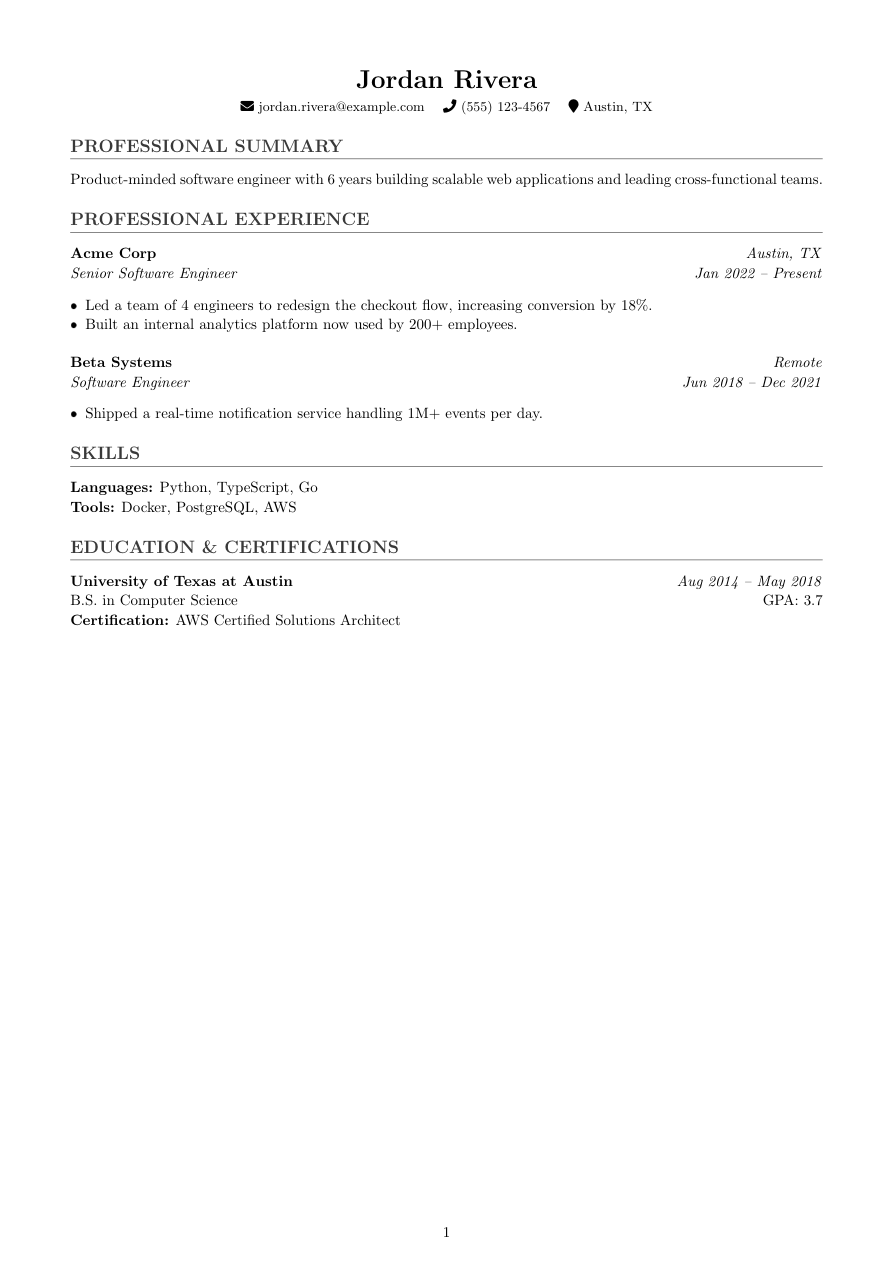
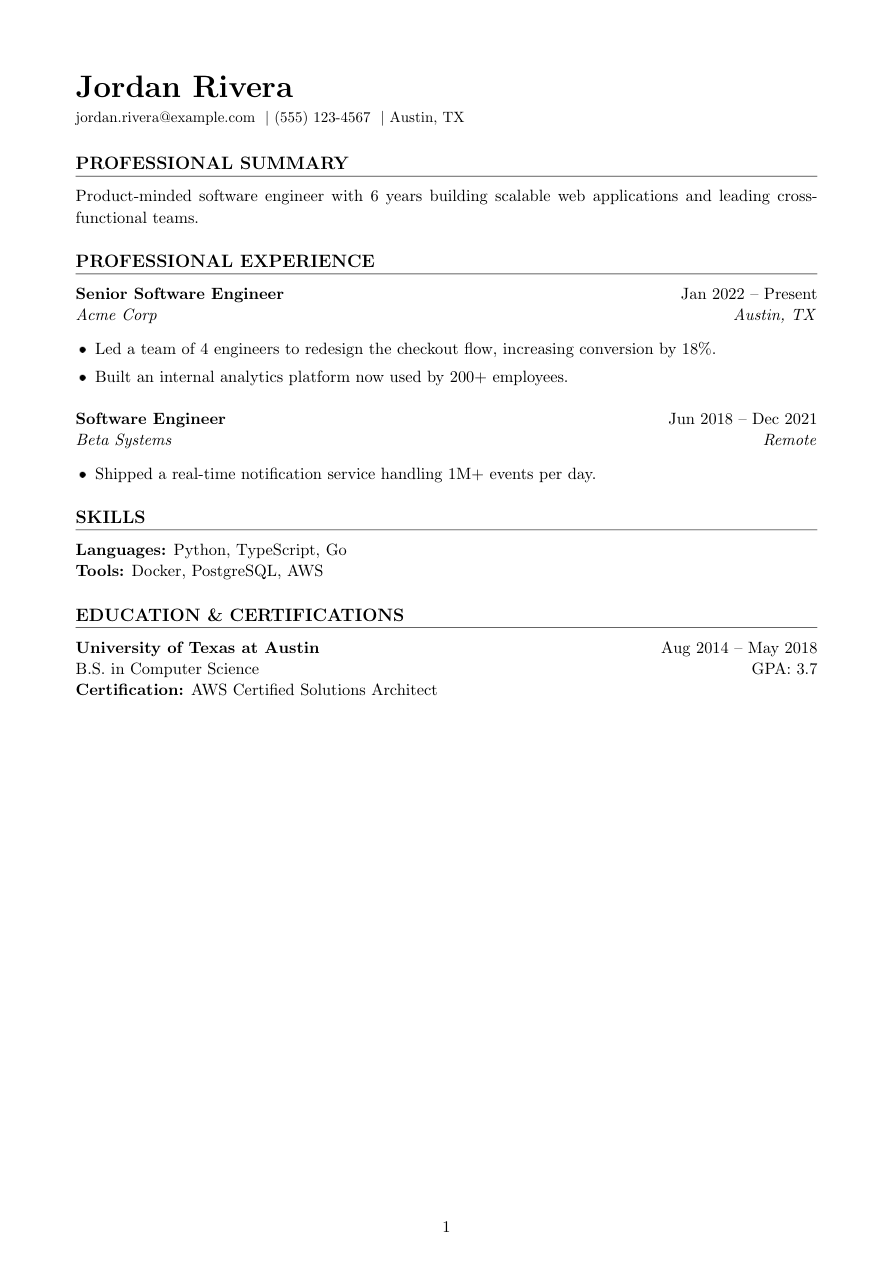
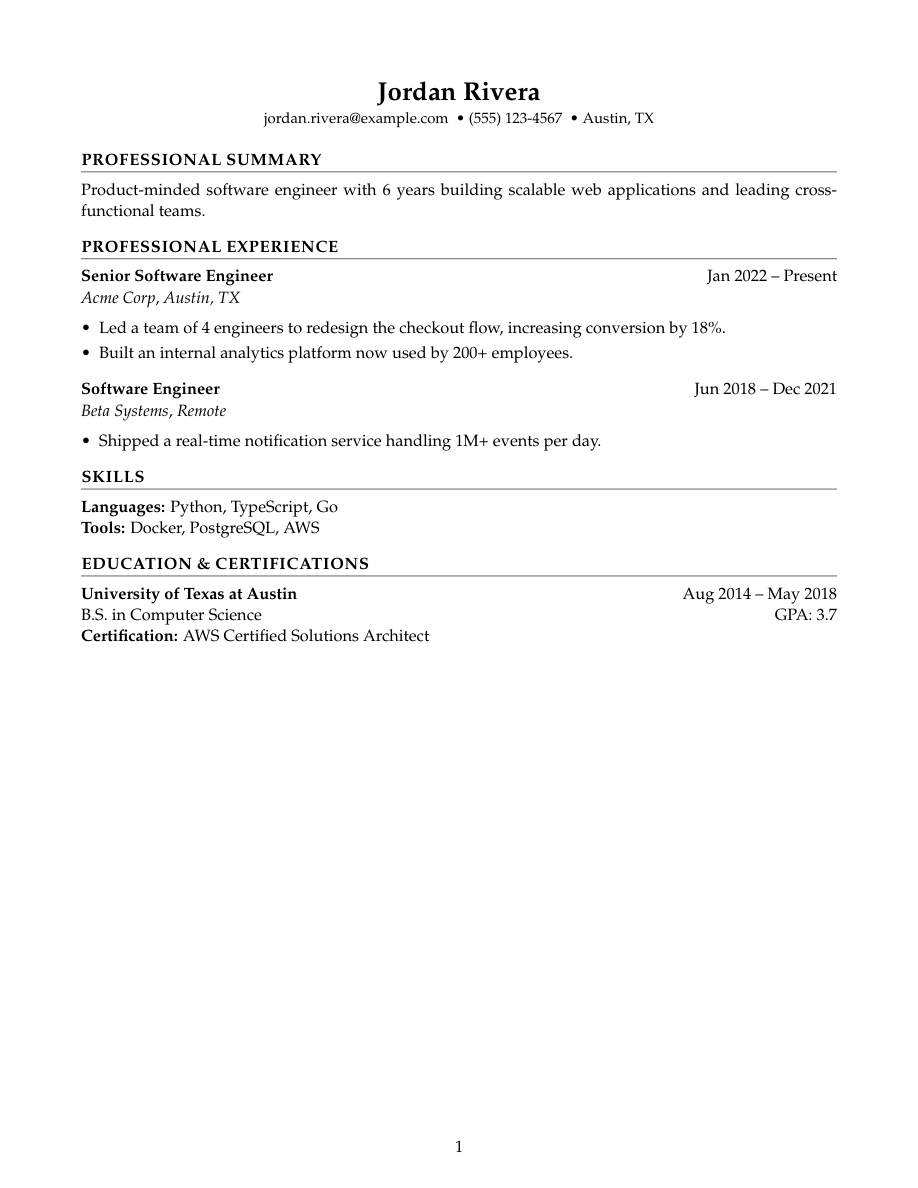
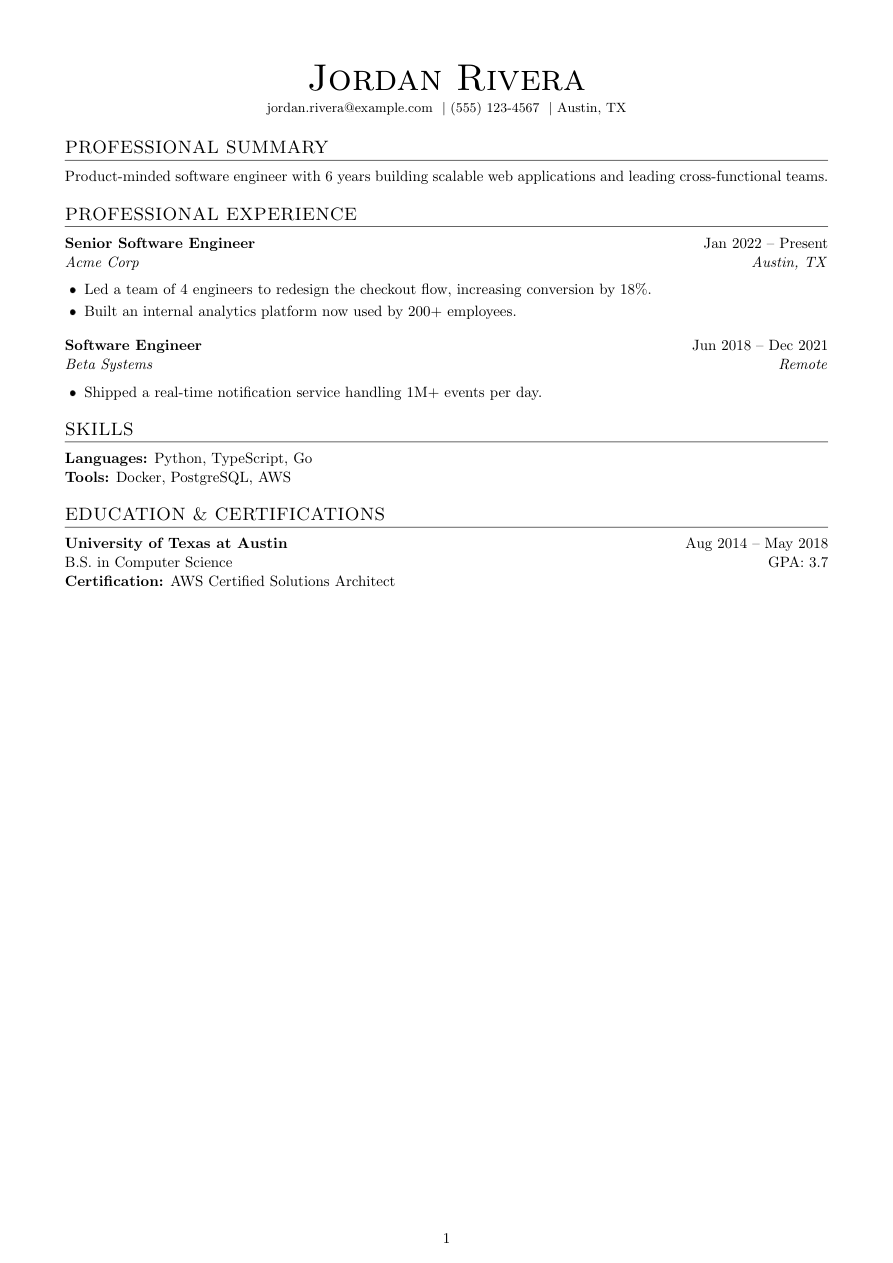
Jake's Resume is the closest thing the tech job market has to a default template — small-caps section headings, a full-width rule directly under each one, tight single-spaced bullets, and Computer Modern, LaTeX's own default serif. No color, no icons, nothing that isn't text.
Refyn's version is a from-scratch reimplementation of that look (see the note below), built on the same template engine as the other nine templates. It renders the same visual signature people recognize from Overleaf, but you're editing the real .tex in a live editor with a typeset PDF preview beside it — no preamble to write, since the template ships already working. Upload an existing resume instead and Refyn converts it straight into this look for you.
It suits software engineering, data, and other technical roles where reviewers expect this exact look and anything unfamiliar reads as friction.
A Refyn reimplementation inspired by Jake Gutierrez's MIT-licensed Jake's Resume — the same signature look, rebuilt on Refyn's template contract rather than copied.
Who it's for
- You're applying to software or technical roles where recruiters expect this look.
- You want the most-recognized ATS-safe resume format without hand-editing Overleaf.
- You'd rather not explain why your resume looks different from everyone else's in your field.
Works with ATS software
Jake's Resume is the community's de facto ATS-safe standard for a reason: single column, no icons, no tables, plain text run through a real LaTeX text layer. Refyn's rebuild keeps that contract exactly — icon-free by design, so a parser never has to guess at a glyph. That said, "ATS-safe" means machine-readable, not a guaranteed pass; matching still depends on your content and the specific system reading it.
View the full LaTeX source
% ---------- Tagged PDF (optional) ----------
% Uncomment the next line for a tagged PDF: real reading order and list
% semantics for screen readers. Works with pdflatex on TeX Live 2023+.
% The LaTeX tagging project still labels this experimental, so it is off
% by default.
% \DocumentMetadata{lang=en-US, testphase={phase-III}}

\documentclass[a4paper,10pt]{article}

% lmodern + T1: keeps text extraction intact when tagging (\DocumentMetadata) is enabled
\usepackage{lmodern}
\usepackage[T1]{fontenc}

% -------------------- Packages --------------------
\usepackage[a4paper,margin=0.6in]{geometry}
\usepackage{titlesec}
\usepackage{enumitem}
\usepackage[hidelinks]{hyperref}
\usepackage{etoolbox}

% -------------------- Formatting --------------------
% Deliberately no font package — Computer Modern, the "tech standard" look.
\setlength{\parindent}{0pt}
\setlength{\parskip}{4pt}
\linespread{1.05}
\setlist[itemize]{itemsep=-2pt,topsep=2pt,leftmargin=0.18in}
\sloppy
\raggedbottom

% Section formatting — small-caps title, full-width rule immediately under it,
% tight spacing (Jake's Resume's signature look).
\titleformat{\section}
  {\large\scshape\raggedright}
  {}{0em}{}[\titlerule]

\titlespacing*{\section}{0pt}{7pt}{3pt}

% -------------------- Semantic macros --------------------
% render.py (app/services/conversion/render.py) only ever emits calls to the 11
% macros below, with data already massaged (dates joined, "Present" resolved,
% link labels derived, etc.) but with ALL visual decisions — bold/italic, hfill
% alignment, icons, separators, list styling, gap sizes — owned here. See the
% macro contract in that module's docstring before changing signatures.
% Every template MUST define all 11, including \closebullets and \entrygap.

\newtoggle{citemnotfirst}
\newtoggle{bulletsopen}
\newtoggle{skilllinenotfirst}

% \closebullets closes the itemize list \rbullet opens. render.py calls it
% right after emitting the \rbullet run for an entry. \AtEndDocument is a
% defensive backstop only, in case a future call site forgets.
\newcommand{\closebullets}{%
  \iftoggle{bulletsopen}{\end{itemize}\togglefalse{bulletsopen}}{}%
}
\AtEndDocument{\closebullets}

\newcommand{\resumeheader}[3]{%
  \begin{center}
  {\Huge \scshape #1}\\[3pt]
  \ifblank{#2}{}{{\normalsize #2}\\[2pt]}%
  \small
  \togglefalse{citemnotfirst}%
  #3
  \end{center}
  \vspace{-8pt}
}

% ATS-safe by design: icon-free — #1 (kind) never selects a glyph. It is only
% checked once, for "email", so that case gets a real mailto: link instead of
% a broken relative-URL href; every other kind renders identically, separated
% by a plain " | " on one centered line.
\newcommand{\citem}[3]{%
  \iftoggle{citemnotfirst}{ $|$ }{\toggletrue{citemnotfirst}}%
  \ifstrequal{#1}{email}{\href{mailto:#2}{#3}}{\ifblank{#2}{#3}{\href{#2}{#3}}}%
}

\newcommand{\sectionstart}[1]{\togglefalse{skilllinenotfirst}\section*{#1}}

% Inverse of Classic: title leads (bold, dates right-flushed on the same
% line); company/location follow on the second line, both italic.
\newcommand{\job}[4]{%
  \textbf{#1}\ifblank{#4}{}{ \hfill #4}\\
  \textit{#2}\ifblank{#3}{}{ \hfill \textit{#3}}%
}

\newcommand{\rbullet}[1]{%
  \iftoggle{bulletsopen}{}{\begin{itemize}\toggletrue{bulletsopen}}%
  \item #1%
}

\newcommand{\skillline}[2]{%
  \iftoggle{skilllinenotfirst}{\\}{\toggletrue{skilllinenotfirst}}%
  \textbf{#1:} #2%
}

\newcommand{\edu}[4]{%
  \textbf{#1}\ifblank{#3}{}{ \hfill #3}\\
  #2\ifblank{#4}{}{ \hfill GPA: #4}%
}

\newcommand{\cert}[1]{\\ \textbf{Certification:} #1}

\newcommand{\project}[4]{%
  \textbf{#1}\ifblank{#2}{}{ -- #2}\ifblank{#3}{}{ \hfill \href{#3}{[#4]}}%
}

\newcommand{\entrygap}{\vspace{4pt}}

% -------------------- Document --------------------

\begin{document}

\resumeheader{Jordan Rivera}{}{%
\citem{email}{jordan.rivera@example.com}{jordan.rivera@example.com}
\citem{phone}{}{(555) 123-4567}
\citem{location}{}{Austin, TX}}

\sectionstart{PROFESSIONAL SUMMARY}
Product-minded software engineer with 6 years building scalable web applications and leading cross-functional teams.

\sectionstart{PROFESSIONAL EXPERIENCE}
\job{Senior Software Engineer}{Acme Corp}{Austin, TX}{Jan 2022 -- Present}
\rbullet{Led a team of 4 engineers to redesign the checkout flow, increasing conversion by 18\%.}
\rbullet{Built an internal analytics platform now used by 200+ employees.}
\closebullets
\entrygap

\job{Software Engineer}{Beta Systems}{Remote}{Jun 2018 -- Dec 2021}
\rbullet{Shipped a real-time notification service handling 1M+ events per day.}
\closebullets

\sectionstart{SKILLS}
\skillline{Languages}{Python, TypeScript, Go}
\skillline{Tools}{Docker, PostgreSQL, AWS}

\sectionstart{EDUCATION \& CERTIFICATIONS}
\edu{University of Texas at Austin}{B.S. in Computer Science}{Aug 2014 -- May 2018}{3.7}
\cert{AWS Certified Solutions Architect}

\end{document}
Free to download and use anywhere. Compiles with pdflatex.
Common questions
Is Jake's Resume good for ATS?
Yes — it's widely used specifically because it's single-column, icon-free, plain text with a real text layer. That's genuinely easy for most parsers to read. It's not a guarantee any specific ATS will score it highly, since that depends on your content and their system.
How do I edit Jake's Resume without Overleaf?
Refyn's editor is free, browser-based, and edits the real .tex with a live typeset PDF preview next to it — no LaTeX install, no Overleaf account. The template ships with a working preamble, so you're editing content, not writing formatting from scratch. You can also upload an existing resume and Refyn converts it into this look directly.
Is this the original Jake's Resume?
No — it's a reimplementation of the same look, rebuilt on Refyn's own template engine rather than copied from the original .cls file. It's built to feel identical to what you've seen on Overleaf.
Can I download the .tex file?
Yes, for free, with no signup, straight from this page.